
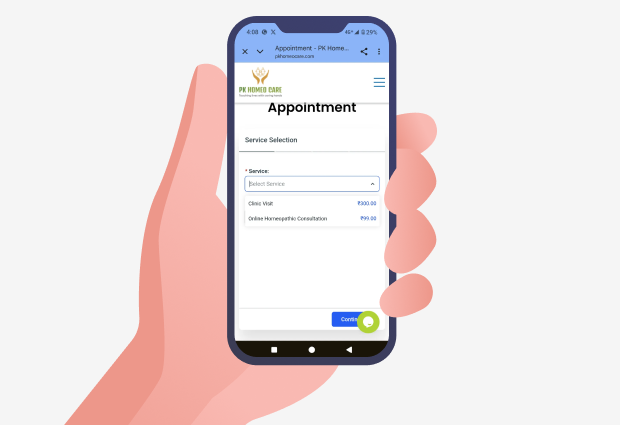
Please select the service you wish to book:
This field is mandatory. Select an option to proceed.
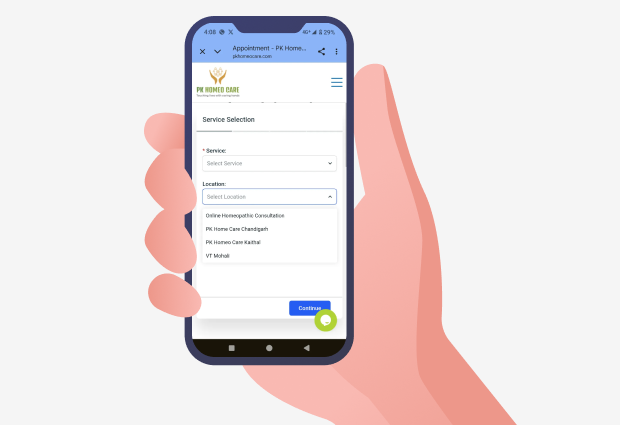
After selecting your service, pick your preferred location for the appointment:
Ensure your selected service is available at the chosen location before proceeding.
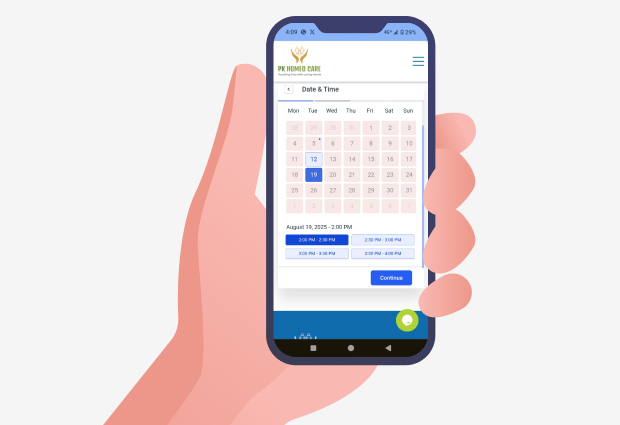
Pick a convenient date and time for your appointment:
Only available (non-greyed-out) dates and slots can be selected. Plan accordingly!
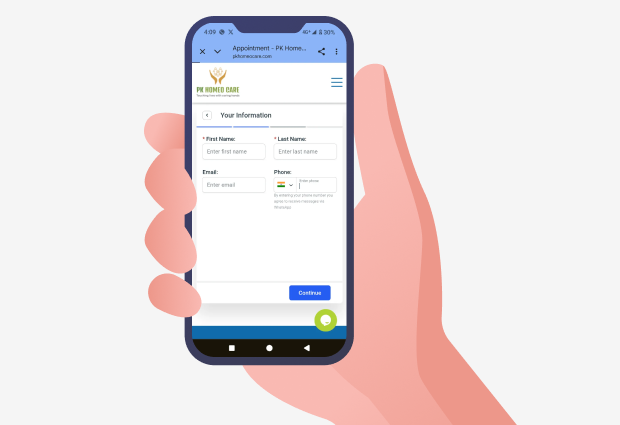
Please fill in your contact details so we can confirm your appointment:
Ensure your phone number is correct. Confirmation & reminders will be sent via WhatsApp or SMS.
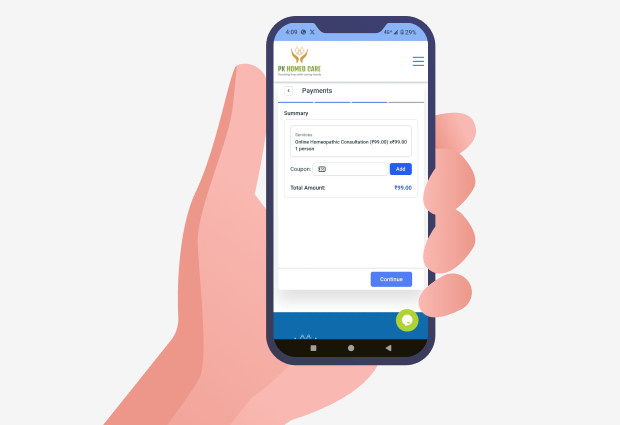
Review your selected service and apply any coupon codes before proceeding:
Verify all details before moving to the final payment stage.
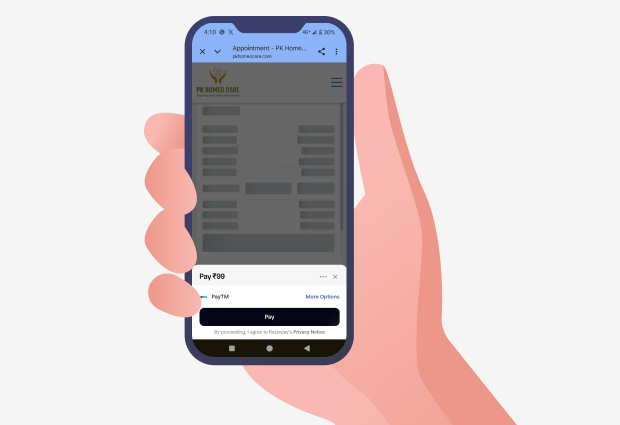
Pay securely via Razorpay
By proceeding, you agree to Razorpay’s Privacy Notice..